What is an event POS system?
An event POS system records sales at a temporary venue. For a merchandise pop-up, the useful definition is wider: it should help staff take a complex order, accept payment, track available stock and move the paid order through packing and collection. A card terminal alone confirms money received; it does not tell the picker what to prepare or the customer when to collect.
The online video games merchandise pop-up ran at CityLink West Atrium in Singapore on 26–27 September 2026. This case study follows the operation photographed on 26 September. EISOL supplied the Rewardly event commerce workflow; the event and its intellectual property belong to their respective organisers and owners.
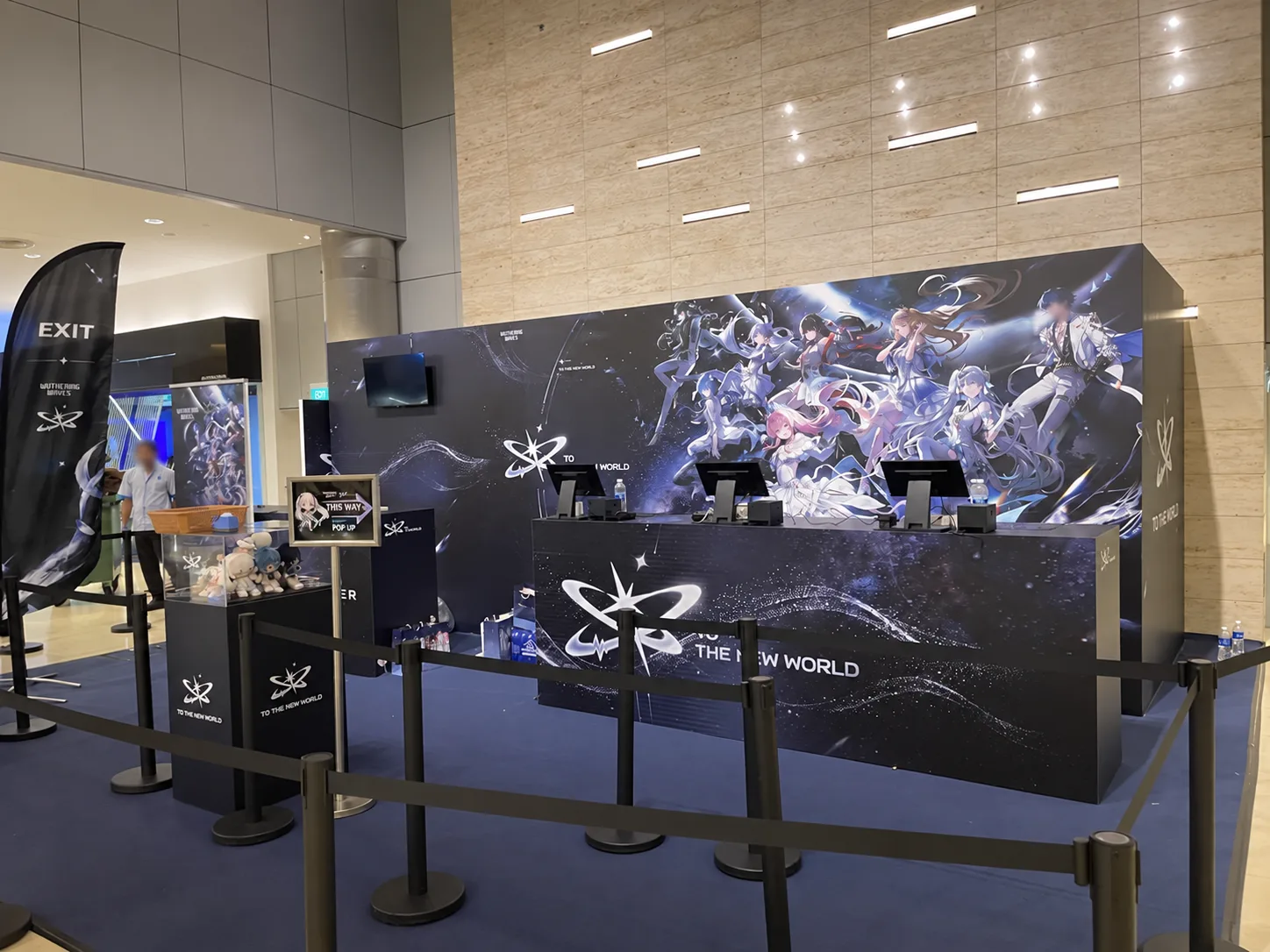
Follow one order from queue to collection
The strongest event setup separates the checkout line from the fulfilment line. Customers can decide what to buy while queuing; cashiers focus on accurate entry and payment; pickers focus on the paid order; collection staff call a clear order number. Explore each handover below.
Queue & order form
A customer joins the managed queue and marks preferred merchandise on an order form before reaching the counter. This makes the choice visible and reduces decisions at the till.
Clear choices before checkoutEnter the sale
The cashier enters the items into Rewardly POS. Desktop counters handle the main lane; additional mobile POS positions can be introduced when the queue grows. Shared product and sales data keep stations aligned.
Scale the selling laneTake payment
The customer pays with an enabled card or QR method. The cashier checks the confirmed result before the order moves to fulfilment. Available payment methods depend on the merchant setup.
Paid order, clear next stepPrint & pick
The paid order prints at the picker station with its order number and item list. The picker uses it to select the correct products without asking the cashier to repeat the basket.
A direct handover to fulfilmentPack & transfer
Staff check the picked items, pack the merchandise and pass the completed bag to the collection counter. A distinct preparation state keeps packed orders out of the selling line.
Fewer missed handoversCall & collect
The queue signage and caller identify the order number ready for collection. The customer collects at a separate counter while the cashier keeps serving the next buyer.
A calm finish to a busy saleIllustrative order number shown in the animation; no customer or transaction record is disclosed. The diagram describes the event business flow, not the underlying technical design.
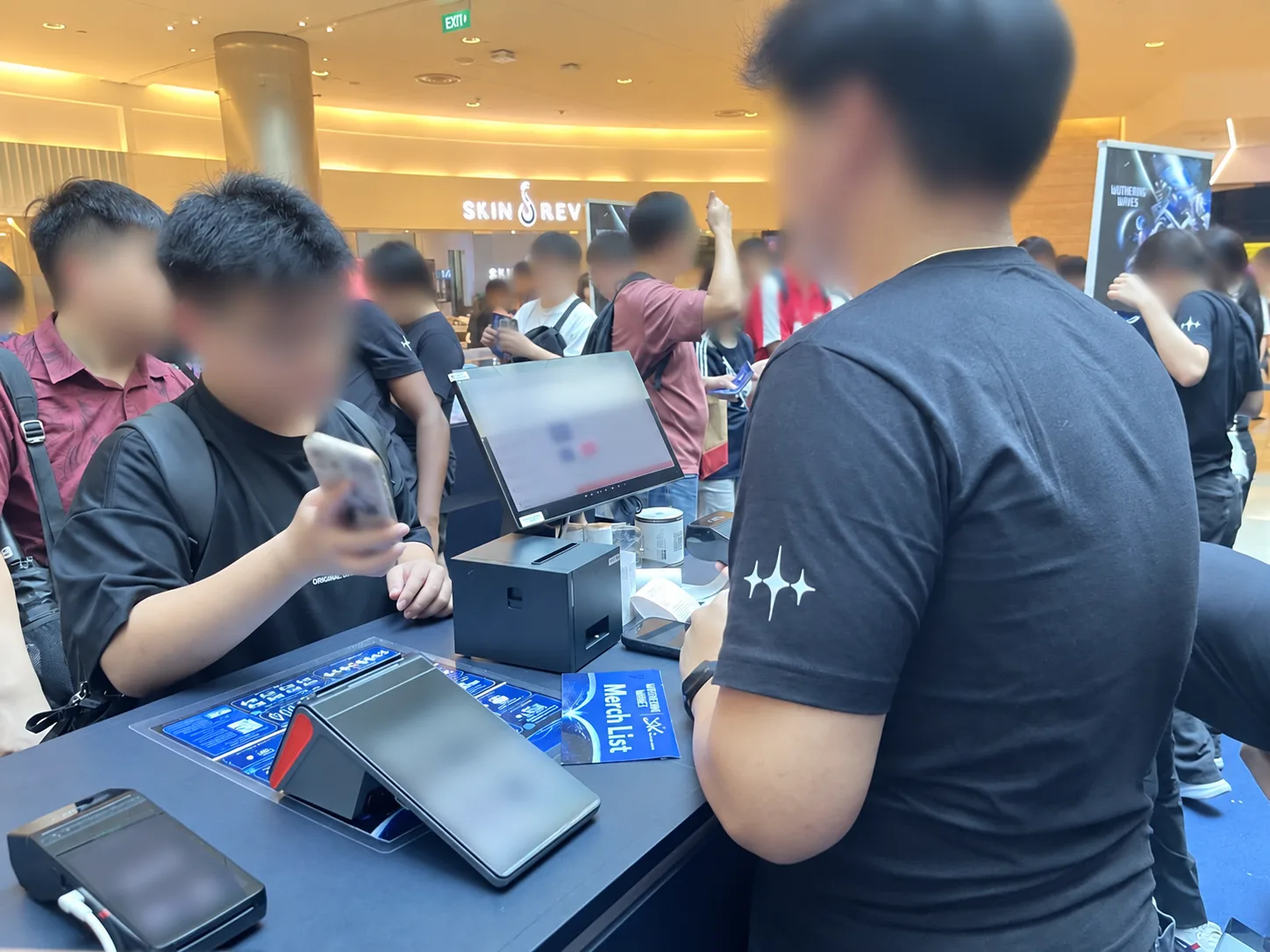
Built for a queue that changes by the hour
An event organiser may begin with a few fixed counters and need more selling capacity after doors open. Rewardly can extend from desktop POS to mobile POS while keeping the active catalogue, orders and inventory view aligned in real time when connectivity is available. That helps the team open another checkout position without creating a separate spreadsheet or a second product list.
For multi-item, higher-value baskets, speed depends on accuracy as much as taps per minute. A clear item list, payment confirmation and printed pick instruction reduce avoidable back-and-forth. Stock visibility helps staff avoid promising scarce merchandise that another counter has just sold. Final stock controls, connectivity and fallback procedures should always be tested for the venue before opening.
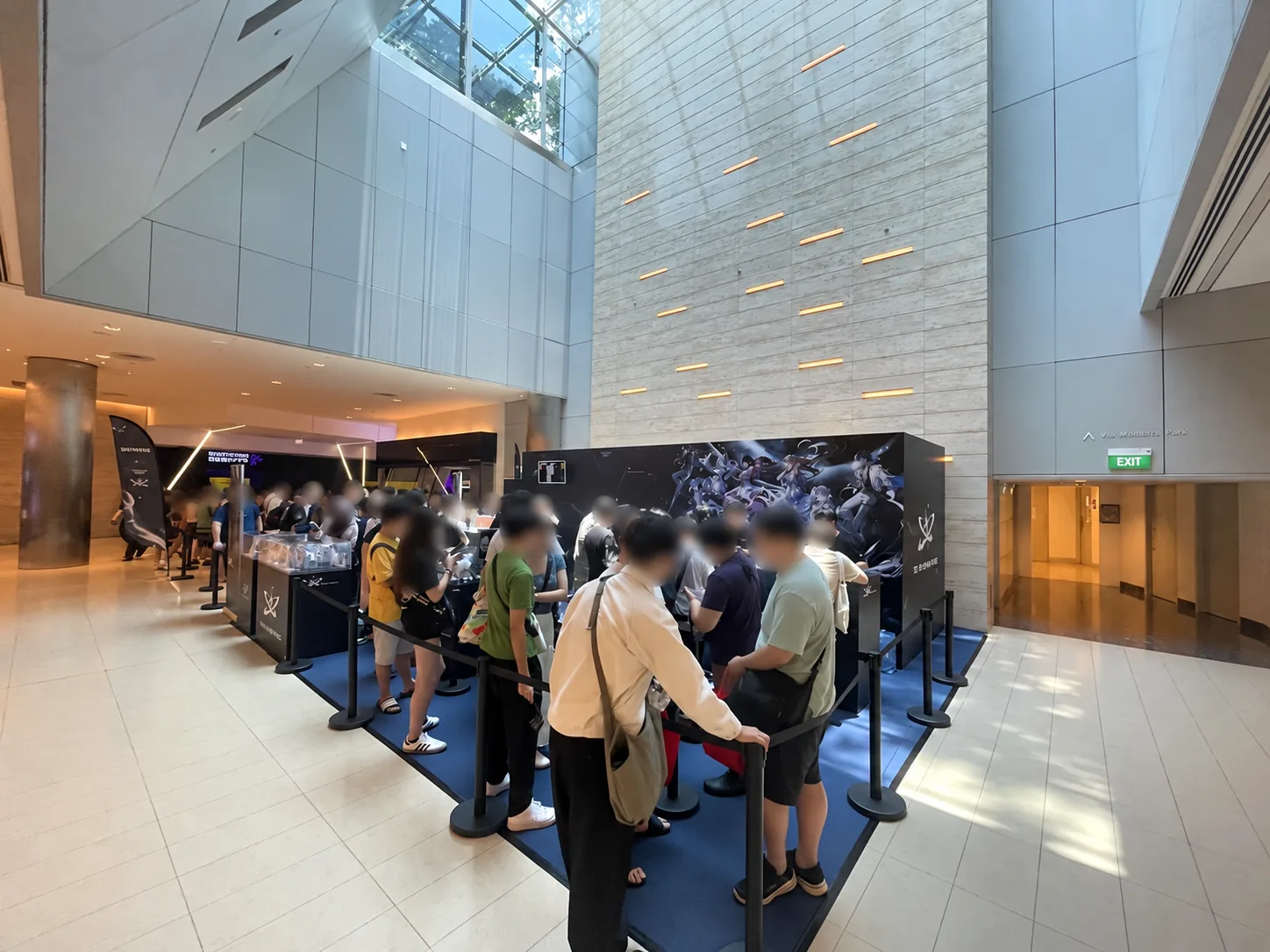
From fulfilment control to useful event data
At the picker station, an order print gives staff a concrete pack list. At collection, the queue display shows which numbers are in preparation and which are ready. These are small handovers with a large customer impact: the cashier does not become a human dispatcher, and a buyer who has paid does not have to crowd the sales counter for an update.
After the rush, transaction and item-level reporting can help organisers review product demand, payment mix, peak periods and where orders slowed down. Those are practical inputs for replenishment and staffing at the next event. This article does not disclose this event’s sales figures, customer records or commercial terms.
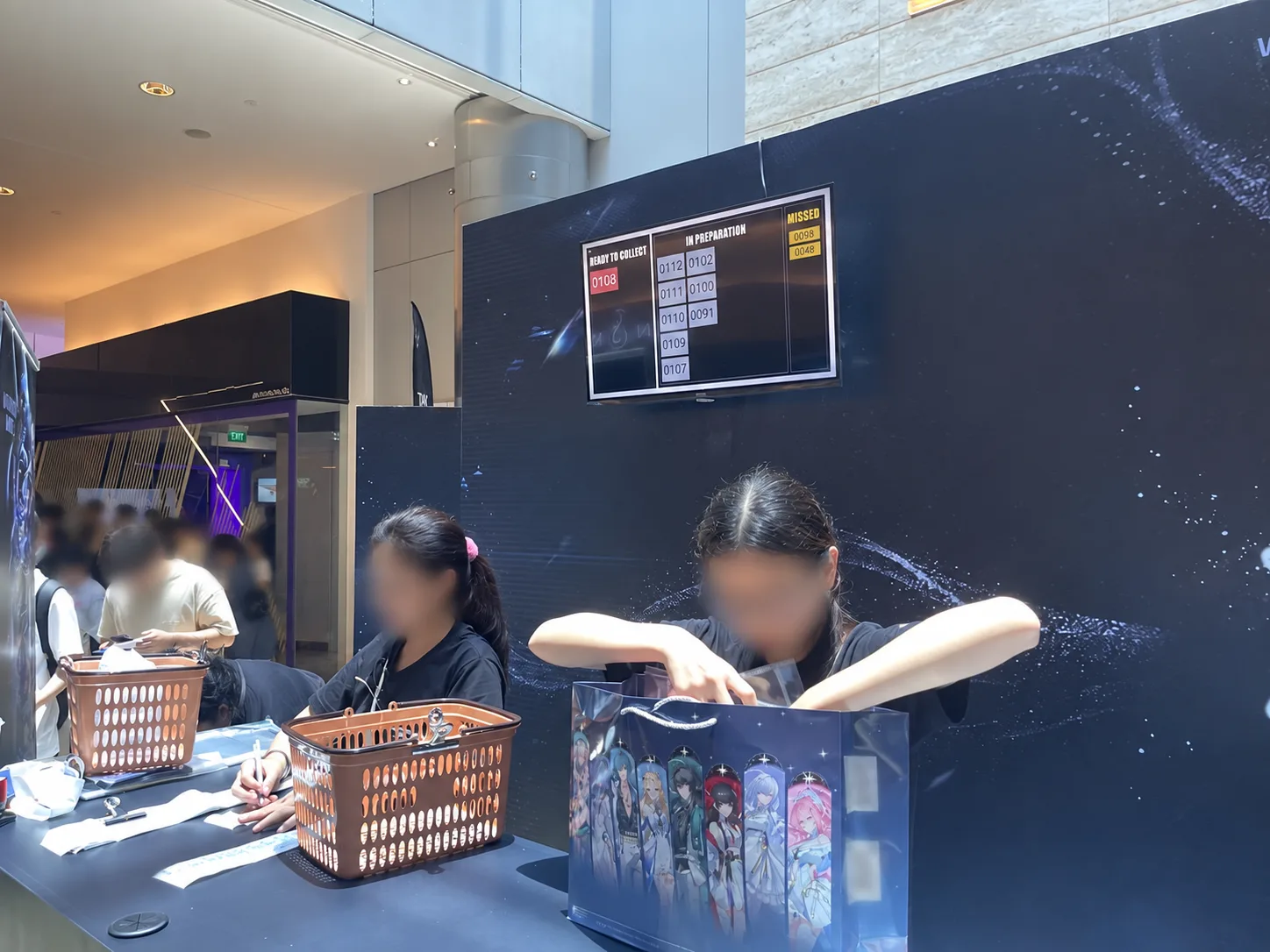
How to compare event POS options fairly
Singapore organisers have credible POS choices. The relevant question is whether the quoted configuration supports your exact merchandise journey, including printed pick lists, separate collection, stock visibility, extra counters, training and support during your busiest hour.
Rewardly’s advantage in this case was the complete operational scope delivered together: desktop and mobile selling, card and QR payment options, inventory visibility, printed fulfilment, order-number collection and on-site support. EISOL positions Rewardly among Singapore’s most competitive event POS options because the scope can be tailored and deployed responsively around a fixed go-live date, without depending on a grant package. Commercial competitiveness still depends on the final hardware, payment and support requirements, so compare a written total cost and a live demonstration against the same scenario.
A payment-only rental may be sufficient when shoppers leave with an item immediately and there is no separate preparation stage. For a crowded merchandise launch with complex baskets, it leaves more work to paper, staff memory and manual reconciliation. The right POS choice is the one that makes the entire paid-order journey demonstrable before the event goes live.
The event-day detail that matters: people on site
The opening hour is a poor time to discover a printer mapping, payment handover or queue rule that nobody tested. EISOL works backward from the go-live date: define the catalogue and order form, rehearse a multi-item sale, verify each payment route, test the picker print, call a sample order and brief the team on exceptions. For this pop-up, on-site support was part of the operational response during peak demand.
That preparation does not guarantee zero queues or zero exceptions. It gives staff a tested path for the situations most likely to interrupt a high-speed sale—and someone to help resolve them while the event is open.
Event POS questions organisers ask
Can an event POS handle card and QR payments?
Yes, if those methods are enabled in the merchant’s chosen payment configuration. Test each method, receipt and refund path at the venue before opening.
Why use both desktop and mobile POS at a pop-up?
Fixed counters provide a stable main checkout. Mobile POS can add a selling position when the queue expands, provided the device, payments, inventory and connectivity have been tested together.
How does a queue display improve merchandise collection?
It separates payment from collection. Customers follow an order number while staff prepare and pack, so the cashier can continue the next sale.
How quickly can an event POS go live in Singapore?
Timing depends on catalogue readiness, venue connectivity, payment onboarding, hardware availability and the complexity of the fulfilment flow. Share the event date early so the team can scope and rehearse the full journey.
Plan the sale before the crowd arrives
Tell EISOL the event date, venue, expected order complexity, merchandise list, payment preferences and how customers should collect. We can demonstrate the exact path from order form to paid sale, pick list and queue call, then propose the right mix of counters, mobile devices and on-site support.
We will map the busy-hour scenario before recommending a system.
Plan an event POS demoExplore the Rewardly POS platform Rewardly · Compare POS systems in Singapore POS guide · Read the POS buyer’s guide Singapore buyer’s guide
Sources and scope
Event location and 26–27 September 2026 dates were checked against the organiser’s event announcement; the workflow and on-site details come from EISOL’s event account and photographs taken on 26 September. This is an EISOL case study, not an independent product ranking. No sales, uptime or queue-time result is claimed.