Fixed and mobile selling
Combine desktop counters with mobile POS positions. Prepare the catalogue and staff access before opening more selling lanes.
Event operations · Singapore
An event POS should do more than take a payment. EISOL connects the checkout, stock, pick-and-pack and collection flow—so your team can serve the crowd with a clear next step.
Pop-ups · merchandise launches · roadshows
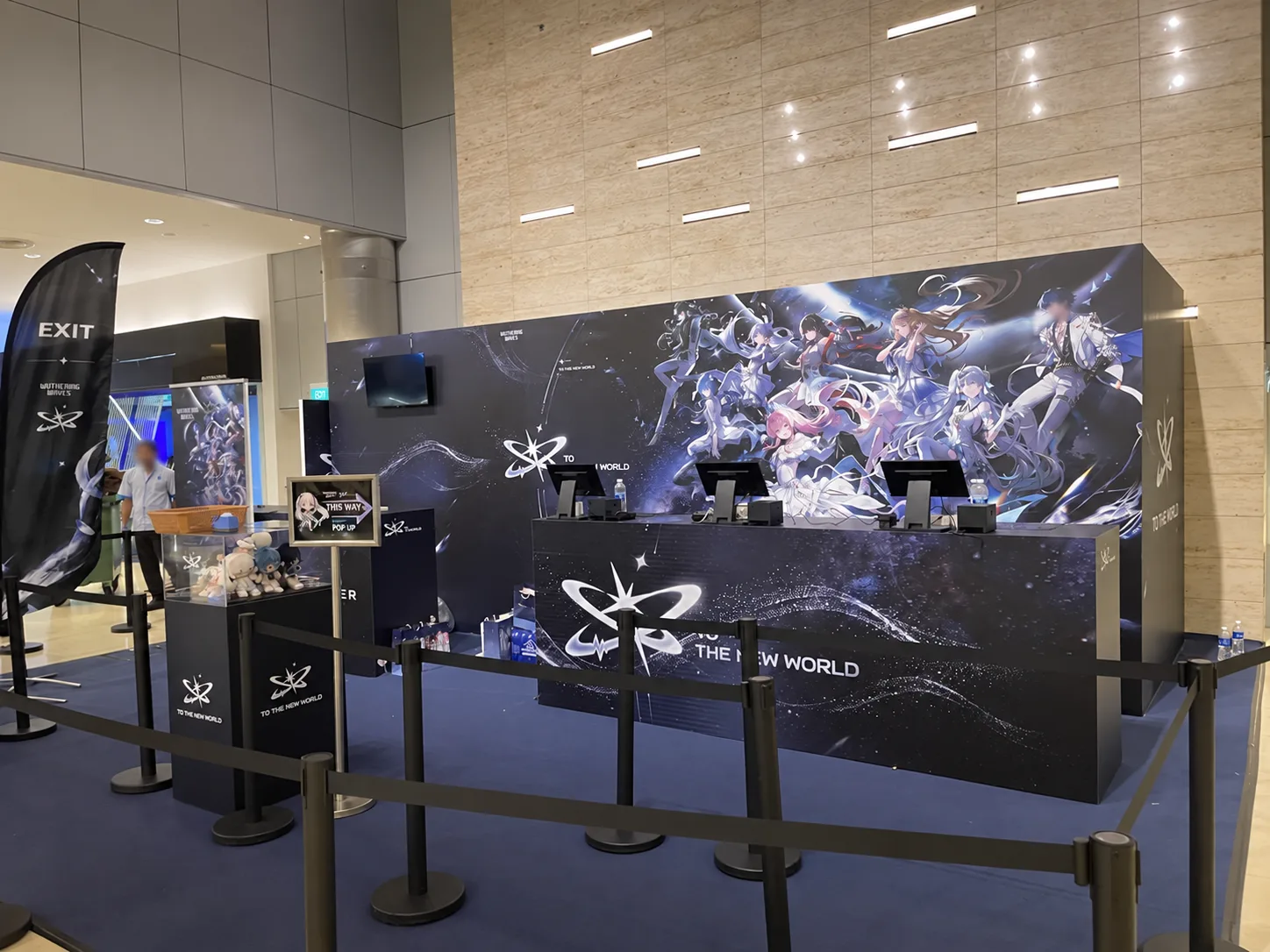
What EISOL connects
Combine desktop counters with mobile POS positions. Prepare the catalogue and staff access before opening more selling lanes.
Use enabled card and QR payment methods with a shared view of products and sales. Connectivity, stock controls and refunds need venue-specific testing.
Send paid orders to a printed pick list, then separate packing from collection with order numbers and a queue display.
Map the busy-hour scenario, brief the team and test every handover. Agree equipment, payment onboarding and event-day support in the project scope.
Interactive journey
Select a stage to see the handover and the operational detail behind it. This is a workflow illustration, not a live POS.
Stage 1 / 6
For a complex merchandise range, an order form can capture choices in the queue. The cashier checks the selected items before entering the basket.
Stage 2 / 6
The cashier enters the items in Rewardly. Fixed and mobile positions use the configured catalogue and shared operational data when connected.
Stage 3 / 6
Take an enabled card or QR payment and check the confirmed result. Payment methods depend on the merchant configuration; test exceptions before opening.
Stage 4 / 6
A printed order number and item list guide the picker. The cashier can continue serving while fulfilment staff prepare the paid order.
Stage 5 / 6
Staff check the picked items, pack the order and pass it to the collection point. Keep the order number with the completed bag.
Stage 6 / 6
The queue display shows order status and ready numbers. Check the customer’s order number at collection so paid shoppers do not need to crowd the cashier.
From a real event
Our Singapore event case study follows Rewardly from order selection to paid sale, pick-and-pack and queue-based collection. See the published photos, workflow and on-site preparation—without invented throughput or sales-uplift claims.
Read the event case studyVertical Trade
Tell us what you are planning. Prepare a project brief below, then choose email or WhatsApp to review and send it to EISOL.
Nothing is submitted or stored by this page. Your email or WhatsApp app opens a draft; you review it and press Send there.