Opening a Second Outlet? A Singapore POS, Inventory & Loyalty Checklist
Before opening a second outlet in Singapore, decide which POS rules are shared and which records stay local. Test stock transfers, member balances, refunds and settlements across both locations. Price the complete rollout, assign owners and rehearse a recovery plan before the new team starts serving customers.
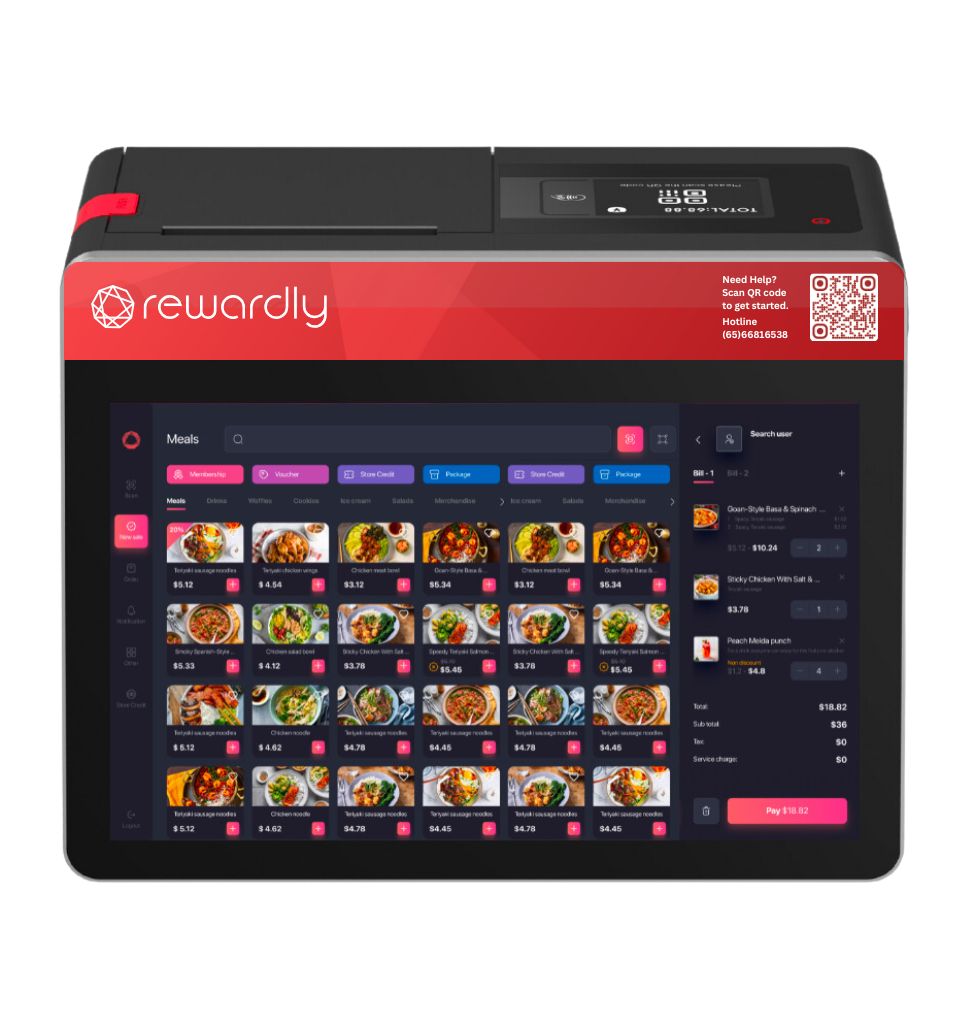
Authentic Rewardly product artwork. Sample menu and prices are product artwork, not current merchant offers.
The first-outlet shortcuts that stop working
One shop can survive a manager remembering why a price changed or where missing stock went. At two locations, those informal decisions become conflicting reports, duplicate member records and unnecessary calls between cashiers. Your second-outlet project should establish repeatable rules before adding devices.
Start with a one-page operating map: who owns product data, who approves local changes, who receives stock, and who reconciles payments. Keep the scope practical. A restaurant chain POS may need shared recipes and separate kitchen routing; a retailer may prioritise variants and transfer controls. Confirm each requirement in a demonstration rather than treating “multi-outlet” as a complete specification.
Decide what is shared and what stays local
EISOL’s multi-outlet planning page describes organisation hierarchy, shared master data and consolidated reporting. Use those themes to prepare a rules sheet for your own operation. The example below is a planning model, not a promise about a particular software configuration.
| Area | Shared rule | Outlet-specific record |
|---|---|---|
| Menu | Product codes, names and modifier definitions | Approved price exceptions and availability |
| Inventory | Units, transfer process and count policy | On-hand stock, receipts and wastage |
| Loyalty | Earning, expiry and redemption policy | Transaction origin and redemption location |
| Finance | Account mappings and reconciliation process | Cash drawer, terminal and settlement references |
Give every sellable item a stable code. If an outlet needs a different price, record the reason, approver and effective date. Test whether a central edit overwrites local exceptions. A sold-out item at outlet one should not disappear from outlet two unless that is the intended rule.
Explore the connections before signing
Select a node to inspect the information and ownership questions around head office, the two outlets, inventory, loyalty and finance. Connections represent decisions to configure and test; they do not certify that an integration already exists.
Head office: own the shared rules
Shared: Product codes, permissions, promotion policy and reporting definitions.
Local: Approved price exceptions and each outlet’s availability.
Test: Change a menu item centrally and verify what changes at each outlet.
For each connection, name the authoritative record and how quickly updates must arrive. Ask what happens if a device reconnects after an outage or two staff change the same record. Your POS integration checklist should identify both the normal workflow and who resolves exceptions.
Rehearse a transfer and a cross-outlet return
A useful stock test moves ten units from outlet one to outlet two. Record dispatch, stock in transit and receipt separately where the proposed system supports those states. Simulate receiving nine, then resolve the discrepancy without silently changing the original request. Check that group totals do not count the same units twice.
Count opening stock before launch and agree units for purchasing, selling and waste. For ingredients, ask whether recipe depletion, conversions and wastage are supported and included. A multi-outlet inventory system should be evaluated against these scenarios, not only a consolidated dashboard.
Next, earn points at one outlet and redeem at the other. Return the original purchase and check the points, voucher and payment records together. Establish which locations accept stored value and who carries its outstanding balance. If outlets belong to different entities, get the commercial and accounting treatment reviewed before enabling shared redemption.
Close each outlet before consolidating
Use distinct outlet, till and payment-terminal identifiers. Match sales to refunds, payment fees and bank settlements at each location before adding them together. Confirm where chargebacks and delayed settlements appear. A healthy group total can conceal a problem in one outlet.
Run a sample closing report through the intended accounting mapping. Include cash, cards, digital payments, discounts and one refund. Record the business-day cutoff and responsible reviewer. Our payment reconciliation guide explains the checks behind a reliable closing process.
Budget the rollout and the recovery
Request separate quotation lines for hardware, software by outlet or device, setup and data work, training, ongoing support and payment charges. Add connectivity, spare equipment and any mall reporting integration relevant to the new location. Confirm taxes, minimum terms, renewal pricing and cancellation arrangements.
Rewardly’s pricing page, checked 9 October 2026, positions Professional for multiple outlets and lists full LoyaltyOS. It advertises a starting price of S$99/month and separately lists S$199 for all modules. Obtain a written two-outlet scope; neither headline alone establishes the full hardware, licence and service bill.
Choose a pilot shift with a named decision-maker. Rehearse printer failure, connectivity loss and an unsuccessful payment. Verify which functions work offline and how duplicates are prevented after reconnection. Keep a staff-assisted fallback and a reconciliation procedure; “cloud POS” does not prove uninterrupted trading.
Your second-outlet readiness check
Tick an item only when someone has checked the evidence. Save the remaining actions for your rollout meeting. This checklist runs in your browser, requests no contact details and resets on reload. Completion records your review, not a guarantee of readiness.
The rollout conversation in 35 seconds
0:00 Outlet two needs shared rules, not just another terminal.
0:07 Decide what is shared and what stays local.
0:14 Test stock transfers, loyalty and refunds across outlets.
0:21 Check reporting, permissions and failure recovery.
0:28 Rehearse the rollout before opening day.
Frequently asked questions
Can I copy outlet one’s setup?
Use it as a starting point. Verify local prices, taxes, terminals, kitchen destinations, opening stock and staff access before accepting the copy.
Must both outlets use identical prices?
No universal rule applies to your commercial model. Agree where local exceptions are allowed, then test how the chosen system manages them.
Does shared loyalty mean shared payments?
Do not assume so. Confirm redemption policy, payment accounts, refunds and balance ownership independently, particularly when legal entities differ.
Make outlet two a repeatable operation
Bring your operating map, sample reports and unresolved checklist items. Review our F&B POS solutions and agree the two-outlet configuration, costs and acceptance tests before committing.
Plan a second-outlet POS rollout