Xero POS Integration Singapore: What Syncs, What Does Not, and a Closing-Shift Test
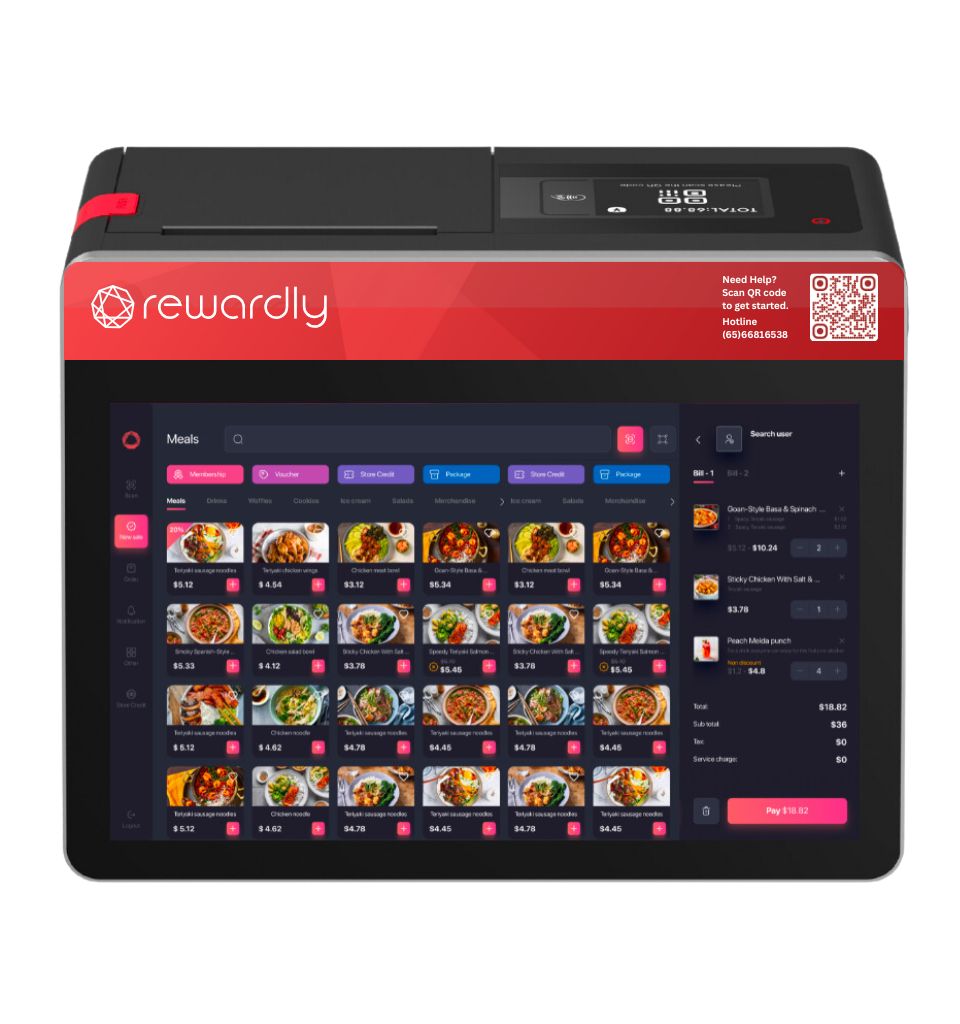
Choose a Xero POS integration by testing one complete shift with your bookkeeper. Confirm what creates the accounting record, which accounts receive the totals, when it is dated and what resubmission does. Rewardly requires manual shift submission; Lightspeed Retail X-Series has a different documented workflow. An integration label alone does not establish automatic syncing.
Define what “sync to Xero” means
Start with the record you need: a shift summary, individual sale detail or another supported posting structure. A summary invoice can represent many customer purchases. It is not evidence that every receipt, customer profile, stock movement and settlement has transferred individually.
Write a specification covering the POS product and version, outlets, registers, Xero organisation, required detail and submission owner. Separate accounting entry from bank reconciliation. Sales can be recorded correctly while a card payout arrives later, combines several shifts or deducts processing fees.
Rewardly: a manual shift submission
Rewardly’s current integration guide describes one invoice per outlet shift and merchant-wide account mappings. Staff use Create Xero report in the Shift Report; nothing is sent automatically. Invoice and payment dates follow the day of submission.
The guide also says resending a shift voids its previous invoice and payments and creates a replacement. Treat resubmission as a controlled accounting action. Confirm the organisation, mapping, reviewer and existing record before retrying; do not repeatedly press send to resolve an unexplained difference.
A closing-shift example you can reconcile
Assume a hypothetical shop closes DEMO-S01 on 25 November and submits it the following morning. The figures below are a checking exercise, not a prediction of either connector’s invoice layout. Tax is copied from the hypothetical report; it is not a prescribed tax rate or calculation method.
| Source report line | Amount |
|---|---|
| Item value before discounts and returns, excluding tax | S$1,100.00 |
| Discounts, excluding tax | −S$50.00 |
| Returned value, excluding tax | −S$50.00 |
| Net sales | S$1,000.00 |
| Reported tax after adjustments | S$89.98 |
| Reported rounding adjustment | +S$0.02 |
| Total paid, after refunds | S$1,090.00 |
| Cash / card, after refunds | S$390.00 / S$700.00 |
First reconcile S$1,100 minus S$50 minus S$50 to S$1,000. Then add reported tax and rounding to reach S$1,090. Cash plus card also equals S$1,090. Keep the refund reference with the original transaction and confirm how the connector represents both sides.
Next inspect the actual target record: do amounts, tax treatment, payment accounts and date agree with the approved configuration? This example contains no service charge, delivery fee, voucher redemption or credit sale. Add those cases if your business uses them. Never silently force an unexplained difference into a rounding account.
Trace the shift into the accounting record
Use this interactive map to discuss the source totals, account choices, manual submission and final review. It illustrates an acceptance test using DEMO-S01. It does not connect to a POS or Xero account, submit a report or provide account codes.
Hypothetical shift DEMO-S01. Editorial acceptance-test map, not a live connector. Account choices require your accountant.
Review the shift before posting
S$1,100 less S$50 discounts and S$50 returns, excluding tax.
Reported tax S$89.98 plus rounding S$0.02. No tax rate assumed.
S$390 cash plus S$700 card. Compare both sides of the source report.
Evidence to retain: Shift reference, period, refund references and approved source totals.
Agree the mappings with the bookkeeper
Confirm the correct Xero organisation before authorising the connection. Ask the accountant to approve sales accounts, tax configuration and the treatment of each payment method. Record whether a payment belongs in a bank account, clearing account or another approved destination for your business.
Assign one submission owner and a separate reviewer where practical. Document which permissions are required, how a missing account is resolved and who may change the mappings. Keep a dated configuration record so the next staff member can explain why yesterday’s posting differs from today’s.
Lightspeed Retail X-Series: test its own connector
Lightspeed’s X-Series closure guide describes an invoice created when a register closes, with payment totals applied. Its setup guide offers account-code, product-summary and individual-product detail options. Check your enabled settings; do not transfer these assumptions to Rewardly, R-Series or a restaurant connector.
Even a normal automatic posting workflow needs exception handling. Rehearse an unsuccessful connection, find the error and inspect Xero before a controlled retry. Agree who investigates missing records and how the team avoids creating a second manual entry alongside a delayed connector entry.
Download a shift-to-Xero acceptance matrix
Bring this worksheet to the demo with an anonymised closing report. Record source totals, proposed target accounts, trigger, dates, refund handling, repeat-submission outcome and reviewer. Mark an observation only after checking it. A completed worksheet documents this test; it does not certify future postings.
Price the complete accounting workflow
Separate POS software, connector availability, Xero subscription, configuration, bookkeeping review, training and ongoing support. Ask whether hardware, payment processing or messaging is relevant to the quote rather than bundling unrelated charges into the connector price.
Checked 26 November 2026, Rewardly Professional starts at S$99 monthly, with an all-modules upgrade listed at S$199. Confirm Xero inclusion and setup explicitly. Compare the ongoing subscription against any introductory period on Xero’s Singapore pricing page; a temporary discount is not the continuing ownership cost.
The shift test in 35 seconds
0:00 Close the shift. Keep its reference and source report.
0:07 Reconcile sales, reported tax, rounding and payments.
0:14 Ask the bookkeeper to approve accounts and tax handling.
0:21 Use the documented send trigger. Rewardly requires manual submission.
0:28 Inspect the target record, dates and payments before any retry.
Questions merchants ask
Does Rewardly send each shift automatically?
No. Its documented shift workflow requires manual submission. Assign the task and verify the resulting record.
Does a matching invoice mean the bank is reconciled?
No. Confirm settlement dates, fees and grouped deposits separately using our payment reconciliation guide.
Which account codes should every merchant use?
There is no universal mapping. Your accountant should approve the organisation, accounts and tax treatment before go-live.
Test your closing report before committing
Bring an anonymised shift report and account list for an EISOL integration scoping session. For retail, review Lightspeed Retail X-Series; use our integration checklist for wider data ownership questions.