Inventory Management Software Singapore: A Stocktake and Reordering Checklist for SMEs
Choose inventory management software by testing receiving, sales, returns, stock counts and reordering with your own products. Start with accurate item codes and clear ownership of adjustments. For a Singapore SME, a reliable stock record matters more than a busy dashboard: it supports purchasing decisions without hiding discrepancies behind automatic corrections.
Start with the shelf, then choose the software
A shop can show stock on screen while the shelf is empty. Before buying another system, trace one discrepancy: was a delivery short, a return unsellable, or a carton entered as one piece? An attractive report cannot repair inconsistent units or an undocumented adjustment.
Use this guide to prepare a small acceptance test. It complements EISOL’s inventory management solution page with the checks a merchant should perform before rollout. Begin with twenty representative products, including a variant, a slow seller and an item frequently returned.
Give every product a dependable record
Assign a unique product code, a readable name and a selling unit. Record supplier pack sizes separately: receiving a carton of twelve should not add one sellable unit. Give sizes or flavours distinct records where they need separate counts. Confirm which barcode identifies each variant.
Count opening stock across the shelf, storeroom and reserved area. Separate damaged or quarantined goods from stock available to sell. Name the person who checks receiving and the manager who approves adjustments. Keep a reason, reference and timestamp for corrections rather than silently overwriting yesterday’s balance.
Packaged items and recipes need different models. Rewardly’s inventory documentation distinguishes whole-product tracking from ingredients and recipes. It also states that product inventory has no low-stock alert; ingredient thresholds are separate. Confirm the workflow you need instead of assuming every inventory feature applies to both.
Run one small stocktake test
Illustrative example: a shop starts with twenty-four sealed coffee bags. It receives twelve, sells five, accepts one resellable return, then physically counts thirty. The expected balance before that count is thirty-two. Investigate the two-unit difference before approving an adjustment; a discrepancy alone does not establish theft or waste.
| Movement | Before | Change | After |
|---|---|---|---|
| Receive delivery | 24 | +12 | 36 |
| Sell five bags | 36 | −5 | 31 |
| Resellable return | 31 | +1 | 32 |
| Approved count correction | 32 | −2 | 30 |
Rehearse these movements in the proposed system. Check the delivery reference, sale, return condition and adjustment history. A refund does not automatically mean an item belongs back on the shelf. Ask how staff distinguish a resellable return from a damaged one.
Explore the stock ledger
Select a movement to see its before-and-after balance, supporting record and proposed reviewer. This is an educational scenario, not a live product screen or a claim that a platform enforces these approvals.
Receive: match the delivery to the record
Before 24
Change +12
After 36
Evidence: Delivery note and a physical check of twelve sealed bags.
Proposed reviewer: Receiving staff; ask a manager to resolve a short delivery.
Hypothetical ledger. Each button shows a fixed chronological step; values are not connected to a merchant system.
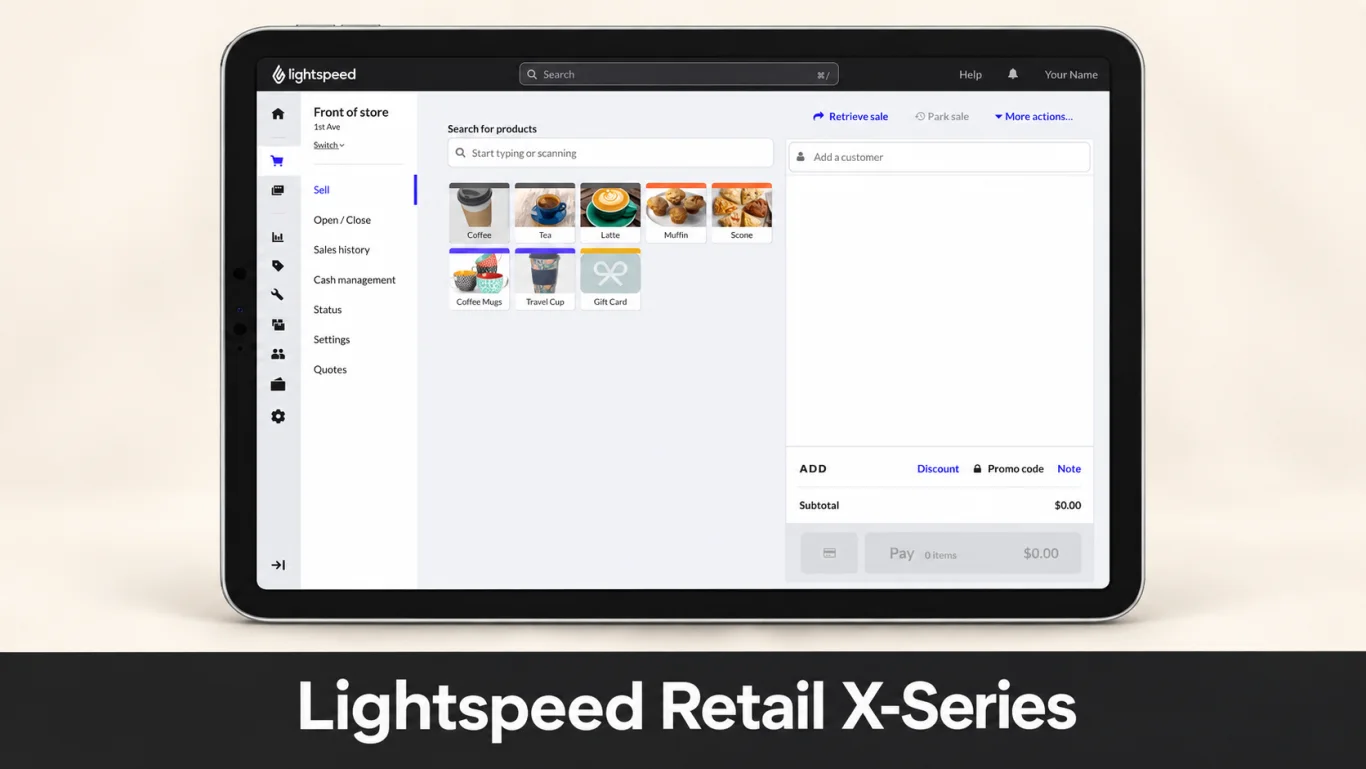
For a physical count, define the cutoff and record movements during counting. Lightspeed Retail X-Series guidance recommends full counts outside trading hours and explains adjustments when sales or returns occur during a count. Review unmatched and uncounted products before completing it.
Set a reorder point you can explain
A starting estimate is average daily demand multiplied by supplier lead time, plus safety stock. With three bags sold daily, four days’ lead time and six safety units, the reorder point is eighteen bags. These are hypothetical assumptions, not a recommended stocking level for your shop.
The worksheet below calculates that threshold. It does not calculate an order quantity. Review open purchase orders, supplier minimums, reserved stock, shelf life and promotion demand separately. A recent sales average can understate demand when an item was unavailable.
Lightspeed X-Series documentation describes reorder points and restock levels per outlet and variant. Its order autofill option is a specific workflow, not evidence that a supplier order is sent automatically. Ask the demonstrator to show the final approval step.
Decide which system owns stock
Inventory inside the POS can simplify transaction ownership. A separate platform may suit purchasing or warehouse requirements, but adds integration decisions. Document the authoritative quantity, update direction and recovery owner. Test a failed update and a repeated message so one delivery is not counted twice.
Ask the provider to demonstrate your scenarios on the exact edition and subscription being quoted. Review Lightspeed Retail X implementation for retail requirements and Rewardly’s operating ecosystem for the relevant merchant workflow. For branch expansion, use the separate second-outlet checklist.
Price the complete stock-control workflow
Request separate lines for software by outlet or user, scanners, labels and printers, data preparation, setup, training and ongoing support. Confirm payment-processing charges separately where the POS quotation includes payments. Check renewal terms, taxes, additional locations and export access before comparing totals.
Run a pilot using the twenty sample products and retain the evidence. Agree who resolves exceptions and what must pass before replacing the existing record. The practical goal is a trustworthy buying and counting process; software alone cannot guarantee fewer stockouts or lower inventory costs.
The stock-control test in 35 seconds
0:00 Count the shelf. Confirm codes and units.
0:07 Receive twelve bags. Keep the delivery reference.
0:14 Record five sold and one resellable return.
0:21 Count thirty. Investigate the two-unit difference.
0:28 Set reorder assumptions before placing an order.
Merchant questions
Can I start with a spreadsheet?
Yes. Stable codes, units and a movement log are useful foundations. Test whether your trading volume, team access and reporting needs justify another system.
Is a reorder point the quantity to purchase?
No. It is a review trigger. The eventual order depends on available stock, incoming deliveries, supplier constraints and the coverage period you choose.
Can the same workflow track ingredients?
Do not assume so. Recipe quantities, conversions, modifiers and waste require separate verification from counting packaged sellable products.
Bring your stock problem to the demo
Bring twenty sample products and a recent stock count. EISOL can help scope the records, responsibilities and acceptance tests before you commit.
Plan an inventory workflow review