QR Ordering System Singapore: Pricing, Fees & POS Integration
Choose a QR ordering system in Singapore by pricing the complete service: ordering software, POS connection, kitchen routing, support and payment processing. Match pay-first or pay-later to your restaurant, then test exceptions before signing. A free QR menu, a commission-free platform and a fully connected order-and-pay system have different costs.
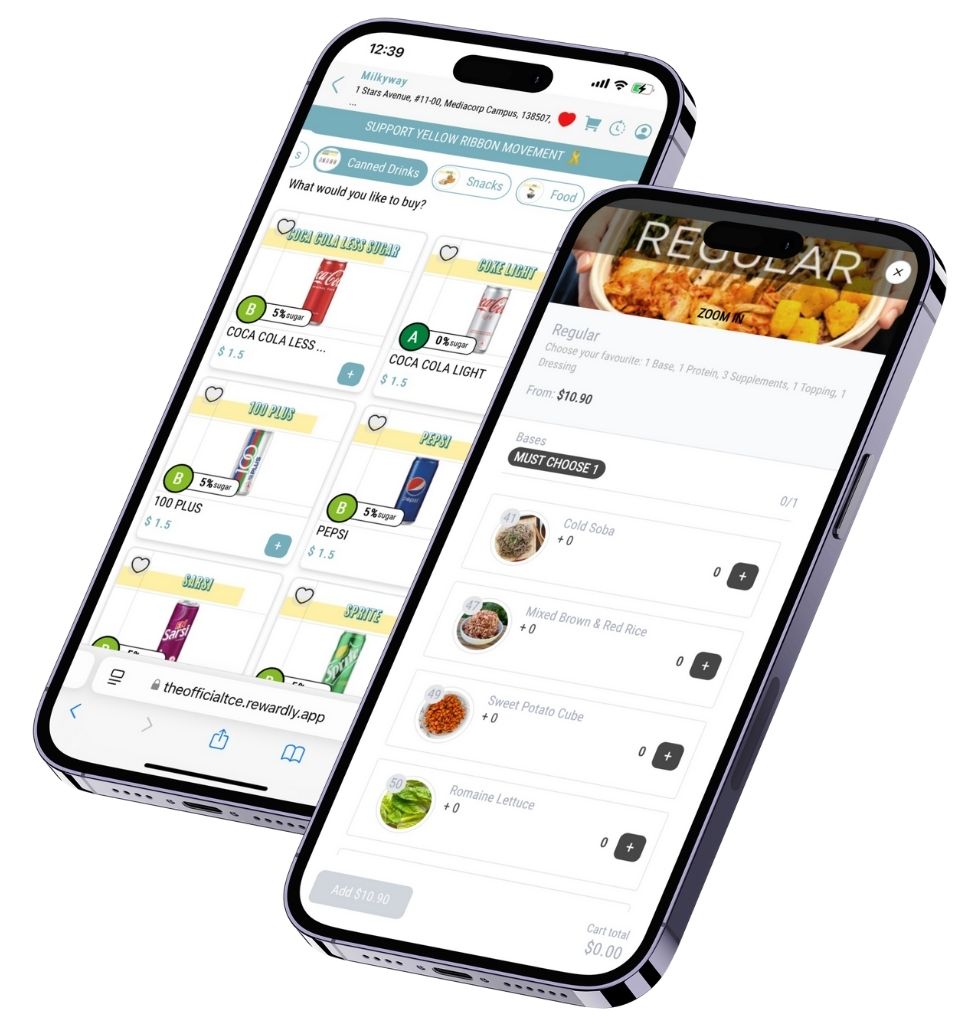
Authentic Rewardly product artwork. Sample menu prices shown are part of the artwork, not current offers.
Decide what the QR code must do
A QR menu displays dishes. QR ordering also captures items, modifiers and a table or collection reference. Order-and-pay adds payment confirmation and settlement records. Start with the operational problem: fewer ordering queues, easier repeat rounds, clearer kitchen tickets or less manual reconciliation. Choose the scope that addresses that problem.
Ask the supplier to follow one order from the diner’s phone into your POS and kitchen. Where does an unavailable item disappear? Who receives a cancellation? Which record proves payment? A separate ordering tablet can still require staff to re-key orders; a digital menu alone does not remove that work.
Read pricing in separate layers
Published examples checked 7 October 2026. These illustrate pricing structures, not equivalent complete configurations. Confirm tax, contract period and included devices in your written quote.
| Example | Published basis | Confirm before comparing |
|---|---|---|
| Rewardly | Growth from S$39/month for NEA-licensed hawkers; S$59 for non-NEA hawkers. Professional from S$99/month. | QR ordering is listed in both. Confirm exact modules, hardware, payment rates and support scope for your outlet. |
| Dinlr | Online Order: S$89/month per location, billed annually. Its ordering page states no commission. | Payment-provider fees remain. Core POS and other modules have separate prices; confirm the complete required bundle. |
| Simpli | No monthly platform fee; 1.4% plus S$0.10 per paid order, capped at S$2. | Payment processing is additional. The cap is on the platform fee; the page excludes GST and says staff-recorded cash orders incur neither listed fee. |
Sources: Rewardly pricing; Dinlr Singapore pricing and Online Order; Simpli pricing. Source addresses and verification notes appear below.
Rewardly’s pricing page lists LoyaltyOS Lite with Growth and full LoyaltyOS, in-person setup and dedicated support with Professional. It also advertises an all-modules upgrade at S$199. Obtain the exact package: the starting price does not establish that every listed module is included at that price.
Request five cost lines: software; hardware and network equipment; setup and training; support; and payment processing. A diner’s phone may remove the need for a table tablet, but your kitchen printer, staff POS, connectivity and replacement equipment still need budgeting. Compare a kiosk setup if a shared device better fits your customers.
Choose pay-first or pay-later
Pay-first can suit counter service and collection: confirm successful payment before releasing the order. Pay-later can suit table service with additional rounds: the POS must retain the open bill and close it correctly. Neither model eliminates mistakes; each puts the control point somewhere different.
Rewardly’s QR ordering description supports dine-in ordering with payment on the phone or at the cashier, alongside pickup, delivery and preorder workflows. Confirm the exact configuration in a demonstration. The diagram below is a planning model, not a guarantee of automatic exception handling.
Pay first: confirm payment before preparation
- Scan & order
- Confirm payment
- POS & kitchen
- Fulfil & reconcile
Check the confirmed payment status and order reference before releasing the ticket.
Check whether money was actually captured before retrying. Keep unconfirmed orders out of preparation and offer staff assistance.
Test your own volume and basket size
Illustration only, not a vendor quotation: assume S$100 monthly software, S$0.10 per order, a 1% platform fee, and payment processing of 2% plus S$0.20 per transaction. Assume one digital payment per order, no caps, no refunds and fees calculated on the entered sales amount.
At 500 orders averaging S$20, monthly sales are S$10,000. Software and platform fees total S$250; payment processing adds S$300, making S$550. At 1,500 orders averaging S$35, sales reach S$52,500: software and platform fees are S$775, processing is S$1,350, and the combined cost is S$2,125.
These totals exclude GST on fees, hardware, setup, support extras, delivery and disputes. A fee cap must be applied to each eligible transaction; multiplying an average basket can misstate capped charges. This calculator therefore models uncapped rates only. Replace every illustrative rate with your quote, and enter payment volume separately when some diners pay at the counter.
Run a busy-table test before launch
Use a real menu and test two diners ordering simultaneously, a modifier, an additional round, a sold-out item, a failed payment and a refund. Check that table references, prices, discounts and kitchen destinations stay consistent. Then compare the POS total, payment-provider statement and bank settlement. Our SoftPOS guide covers another way to accept payment at a staffed counter.
Keep an assisted-ordering option for customers without a working phone or those who prefer staff help. Check readable type, clear language and guest-checkout availability rather than assuming every diner will join a loyalty programme. Explain why any customer details are requested and avoid making unnecessary marketing signup a barrier to ordering.
Agree who responds when the internet, printer or payment connection fails. Record support hours, escalation contacts and the recovery process. Train staff to check order status before resubmitting; repeated taps or manual re-entry can create duplicate orders. Start with a small table section and review errors before expanding.
The buying checklist in 35 seconds
0:00 A QR menu is not the whole ordering system.
0:07 Choose pay-first or pay-later for your service.
0:14 Follow the order into the POS and kitchen.
0:21 Compare subscriptions, platform fees and payment fees.
0:28 Test a real busy-table scenario before going live.
QR ordering questions merchants ask
Does zero commission mean no transaction fees?
No. A platform may charge no commission while its payment provider charges for processing. Ask for both fee schedules.
Can QR ordering work with my existing POS?
Possibly. Confirm the exact POS version, connector, supported fields and exception handling with a live test; a general integration claim is insufficient.
Is pay-later cheaper?
It depends on the payment method and contract. Moving payment to a counter does not automatically remove processing costs.
What should a demonstration include?
Your menu, table layout, payment choices, kitchen routing and a refund. Ask for a quote matching that tested workflow.
Price the workflow your restaurant needs
Explore the Rewardly POS and ordering setup with EISOL and identify the required hardware, support and payment arrangements.
Book a QR ordering workflow demo